


I don’t post to this website enough. Posting involves opening a terminal, which means I’m already in “work mode”, which means it stops feeling like writing and starts feeling like a task.
The fix is cutting the number of steps between “I have something to write” and “it’s live”
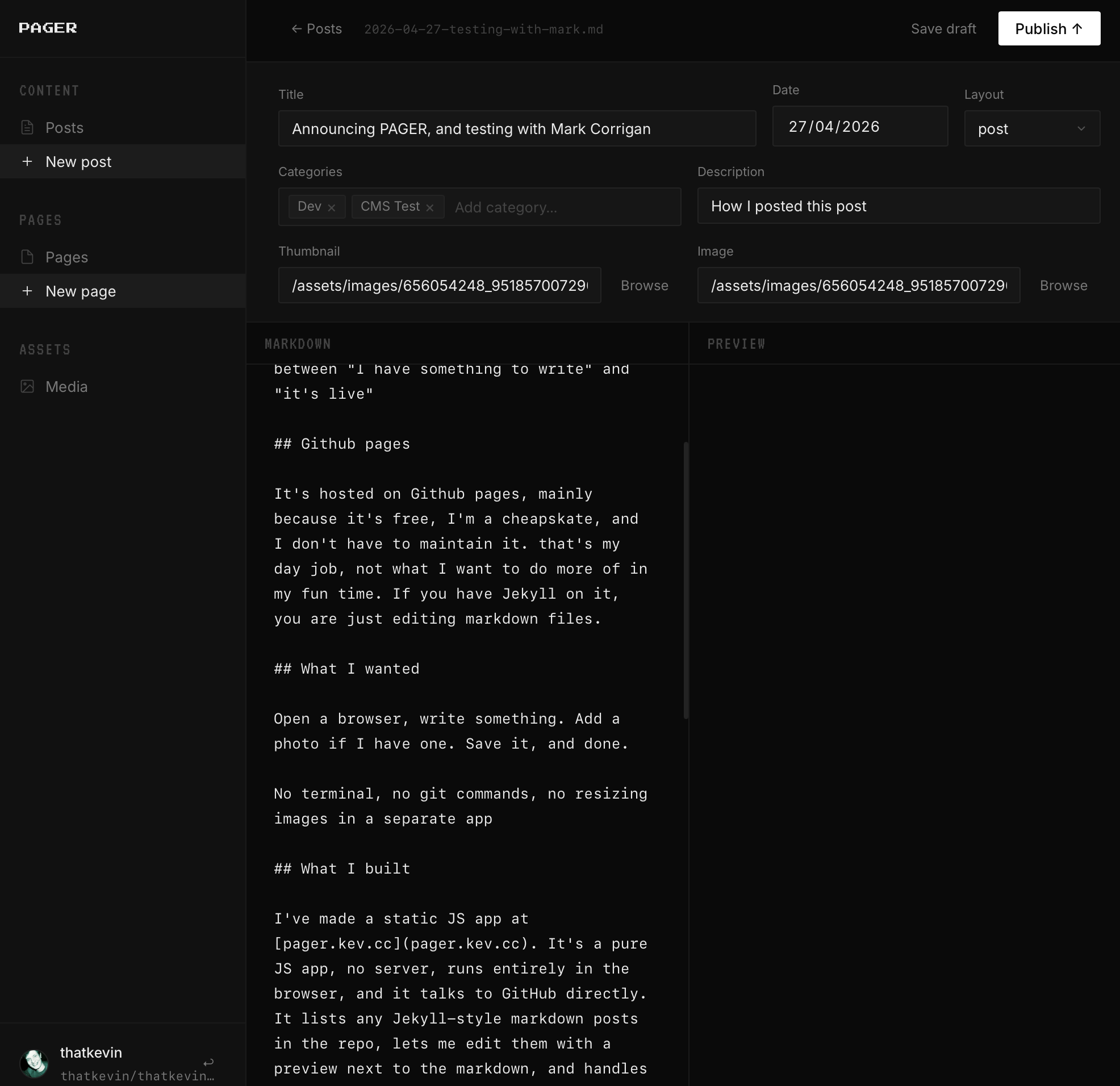
It’s hosted on Github pages, mainly because it’s free, I’m a cheapskate, and I don’t have to maintain it. that’s my day job, not what I want to do more of in my fun time. If you have Jekyll on it, you are just editing markdown files.
Open a browser, write something. Add a photo if I have one. Save it, and done.
No terminal, no git commands, no resizing images in a separate app
I’ve made a static JS app called PAGER. It’s a pure JS app, no backend, runs entirely in the browser, and it talks to GitHub directly. It lists any Jekyll-style markdown posts in the repo, lets me edit them with a preview next to the markdown, and handles photos. When I hit save it commits to the repo and the post goes live.
You can authenticate with a GH personal access token, stored in local storage, or I’ve put a cloudflare worker to handle a GitHub device login.
Everything runs client-side because GitHub’s API supports CORS, so you can fetch from it directly in a browser. Writing a file is one API call, you send the content base64-encoded with a commit message and a real git commit appears in the repo.
Photos get resized in the browser before upload using OffscreenCanvas, then committed to assets/images/.
It (also) runs straight off GitHub Pages, or wherever you host your static html.
It’s at github/PAGER and the auth repo is at github/PAGER AUTH.
Er, it was the first picture I found, so he’s making a guest appearance
This post was written in it, and this is a test post!